# ラベルクリック時にもチェックがつくようにする
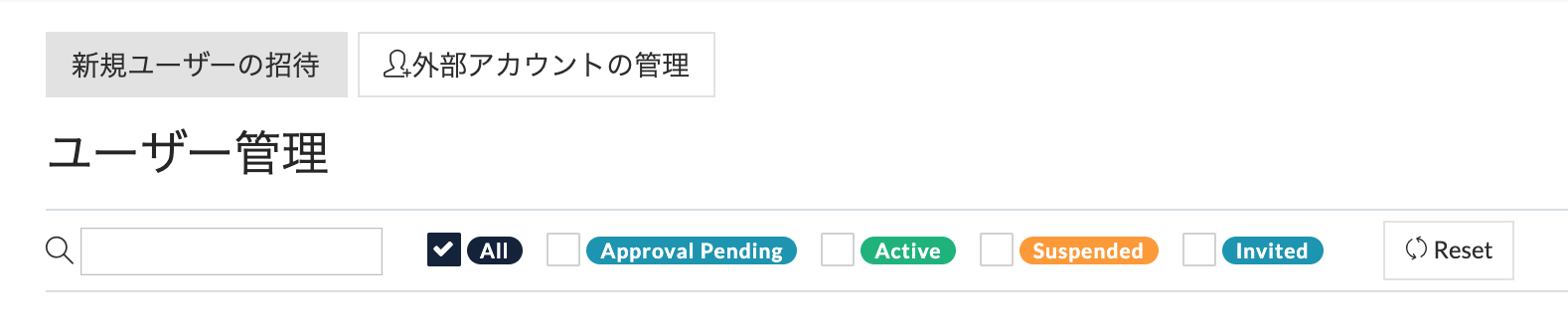
- ラベルクリック時にチェックがつくようにするには、チェックボックス には`id`を、ラベルには`for`に同じ値を指定してあげれば良い。
- React (jsxファイル) では`htmlFor`をlabelに付与することで、同じ内容のid属性を持つ要素と関連付けられる [参考文献](https://qiita.com/nogizaka46/items/612ba6522d546f5f954f)
```jsx:UserManagement.jsx
{ this.handleClick('all') }}
/>
```
これによって、ラベルクリック時にもチェックの付け外しが適用される。
---
## Page Navigation
- Canonical URL: https://tips.weseek.co.jp/用語集/Javascript/React/複数チェックボックスの実装/ラベルクリック時にもチェックがつくようにする
- Permalink: https://tips.weseek.co.jp/5e85713dccf745004983aa56
- Parent: [複数チェックボックスの実装](/5e843ea547e08f0048bfebce.md)
- Children: 0 total
- Total descendants: 0
- Siblings: 2 total
- [チェックボックスの条件分岐](/5e8440ac47e08f0048bfebd5.md)
- [チェックボックスの色をラベルと同じにする[bootstrap4]](/5e869e52139099004805818a.md)
- Last updated: 2020-04-02T05:00:03.214Z by deleted_at_1715747466121
- Full page listing (all children regardless of count): https://tips.weseek.co.jp/_api/v3/page-listing/children?id=5e85713dccf745004983aa56